
Pre-order open
Openterface KVM-GO Series
Ultra-Compact KVM That Fits on Your Keychain
For Critical Tech Moments — Plug. Control. Go.
詳細規格、設置指南和常見問題請訪問 docs.openterface.com。
打開文檔 ↗Stay in the loop
Get Openterface KVM-GO Series launch & firmware updates
Be first to know about pre-orders, firmware releases, and setup tips for this product — at most one email per month.
- Early access to crowdfunding and pre-order windows
- Setup guides and app release notes
- Unsubscribe anytime with one click
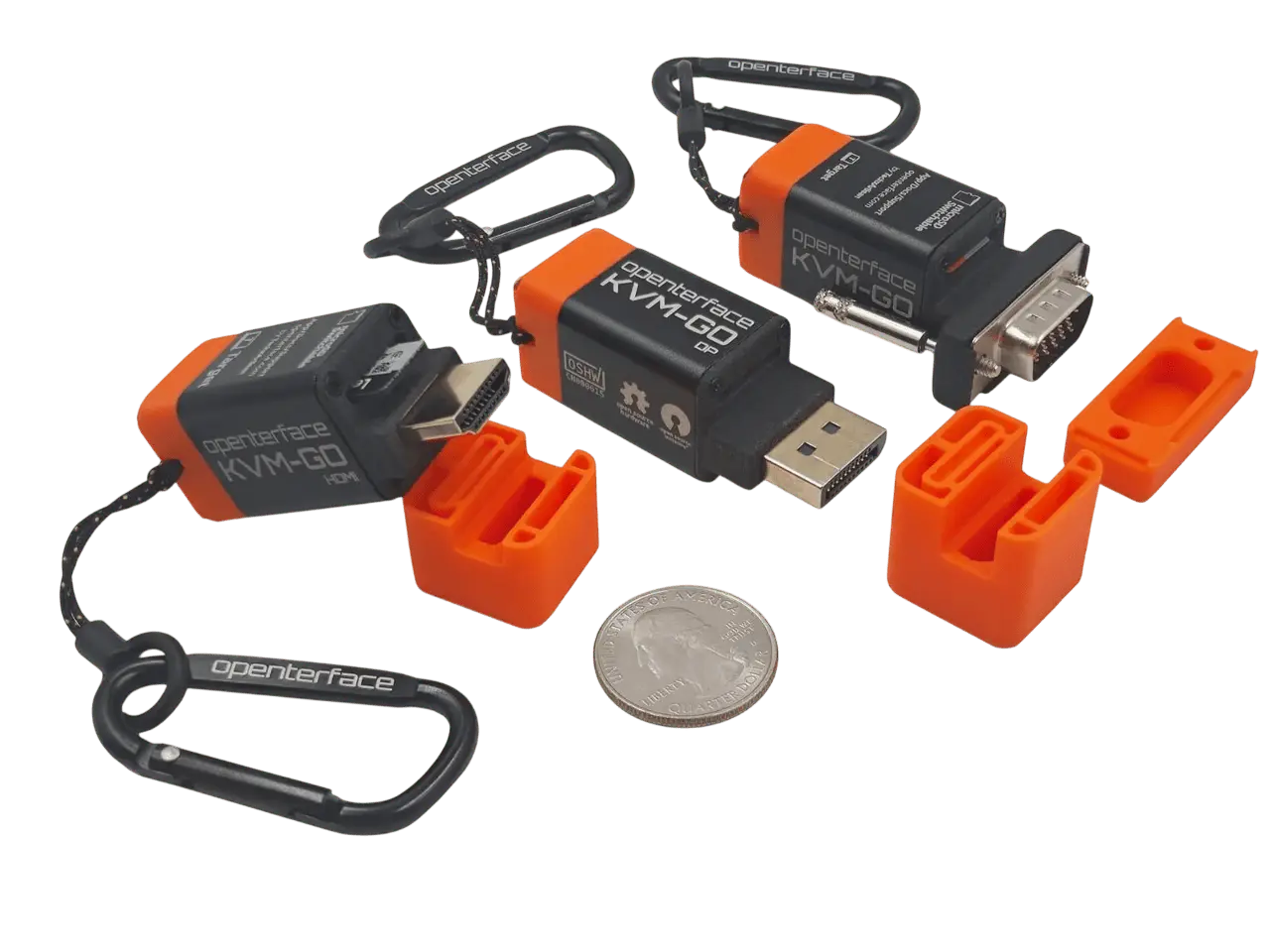
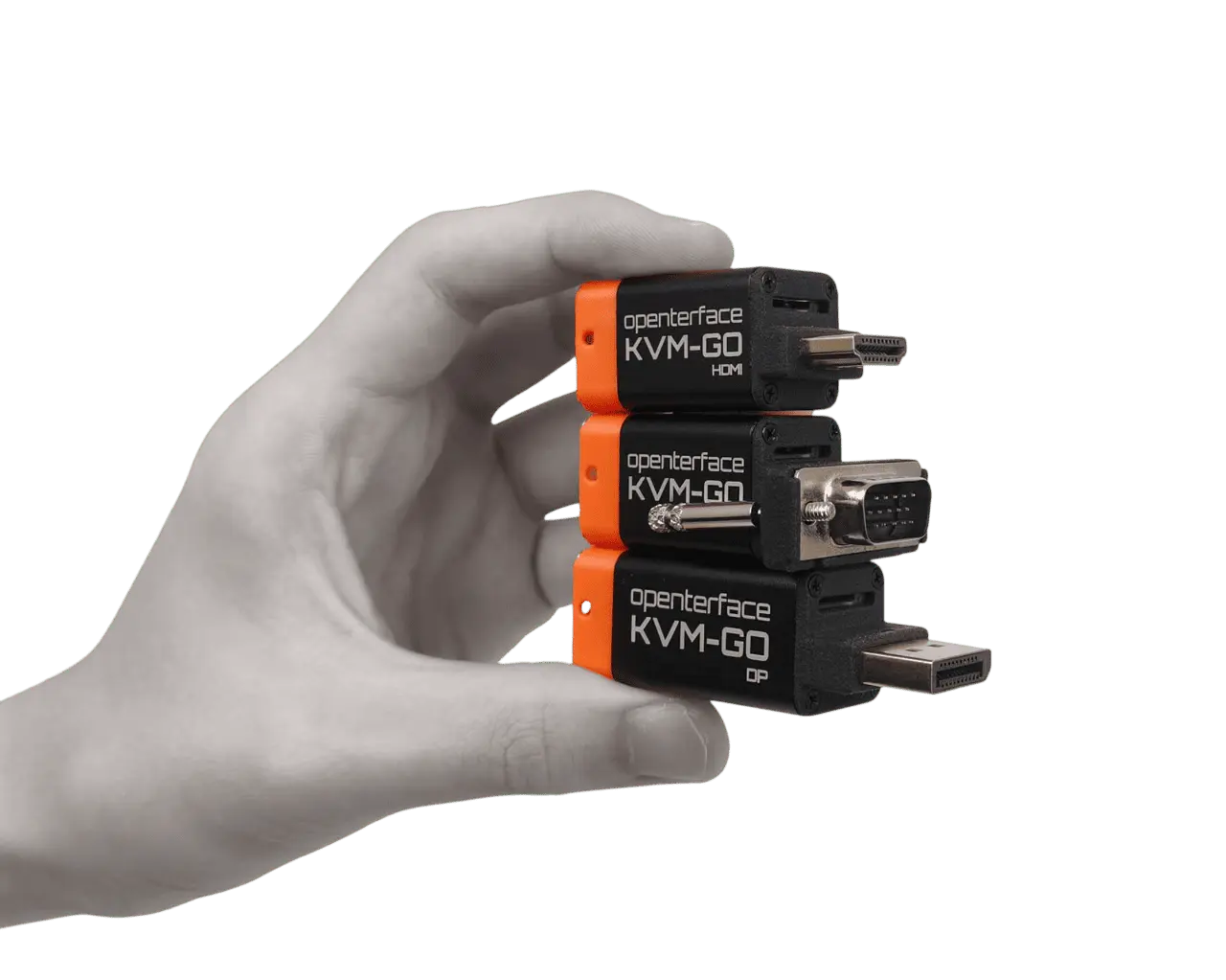
The next-generation KVM-over-USB solution with built-in video connectors (HDMI, DisplayPort, or VGA). Ultra-compact, keychain-sized, and built for rapid IT operations in data centers, server rooms, and the field — no loose video cables required.
痛點
- Traditional KVM gear is bulky and requires separate video cables
- Emergency server access in the field needs a pocket-sized tool
- Headless troubleshooting without network access is slow
解決方案
- Built-in male HDMI, DisplayPort, or VGA connectors — no loose cables
- Keychain form factor (~25 g) always within reach
- KVM-over-USB with sub-second startup — no network or target drivers
硬件 + 軟件
Openterface 產品與我們的開源主機應用配合使用效果最佳。
- Keychain-sized design
18 × 18 × 55 mm aluminum body — fits in your pocket, not a crash cart.
- Built-in video connectors
Direct plug-in HDMI, DisplayPort, or VGA male connectors — zero cable hunt.
- 4K video capture
Up to 4096×2160 @ 60 Hz input; default 1080p@60 for stability (4K experimental).
- MicroSD slot
Switchable storage for OS images, tools, and file transfer between host and target.
- BIOS-level access
Reach firmware, boot menus, and recovery screens without network KVM.
- Sub-second startup
Hardware ready in under 1 second — immediate troubleshooting in the field.
使用場景
Data center & server rooms
Replace rolling crash carts with a keychain KVM that plugs straight in.
EDC field toolkit
Always in your bag — built-in connector means one less cable to forget.
Headless homelab rescue
Configure NAS, SBC, and lab nodes without a spare monitor.
Legacy VGA systems
VGA model targets older racks and industrial gear (in development).
BIOS & firmware access
Boot menus and recovery screens with no network dependency.
MicroSD OS installs
Switchable storage for imaging and portable recovery tools.
核心規格
- Size
- 18 × 18 × 55 mm (~25 g)
- Models
- HDMI · DisplayPort · VGA (in development)
- Video input
- Up to 4K @ 60 Hz (YUV420)
- Video output
- Up to 4K @ 60 Hz (MJPEG)
- Storage
- MicroSD slot for host/target file transfer
- Power
- USB-C powered (no external supply)
What press & early users say
“Small enough to fit on a keychain, Openterface KVM-GO is a tiny, open-source hardware KVM-over-USB gadget with HDMI, DisplayPort, or VGA connectors.”
“Openterface's KVM-GO is a pocket-sized, open source tool for hardware-level access to headless computers.”
“Following the nearly half-million dollar crowdfunding success of the Mini-KVM, Openterface is back with the KVM-GO — a tiny KVM that reduces cable clutter.”
“Keychain-friendly KVM-over-USB gadget comes in a smaller form factor but with upgraded 4K60-capable internals.”
YouTube
Community reviews & demos

KVM-GO OpenInterface: Este KVM NO va por red, el KVM que se conecta DIRECTO a tu PC
Javier Gutierrez Abella · 9.5K views

A USB KVM with VGA! Openterface KVM-GO Review
apalrd's adventures · 7.8K views

Networkless KVM? Yes please open interface kvm-go
KL Tech Videos · 717 views

The KVM-GO is my new EDC KVM!
Symbiiote · 1.5K views

J’ai testé le KVM le plus compact au monde : OpenTerface KVM Go !
Sam's eXperiments logs · 357 views

OpenInterface Shows New KVM Go at Maker Faire Shenzhen
Electromaker · 6.7K views
Latest KVM-GO updates
Production milestones, app releases, and community news.
Read on Openterface News →